Recharge Help
USDT tutorial — TxID guide
USDT recharge tutorial
Follow these steps if you are new to USDT recharge.
-
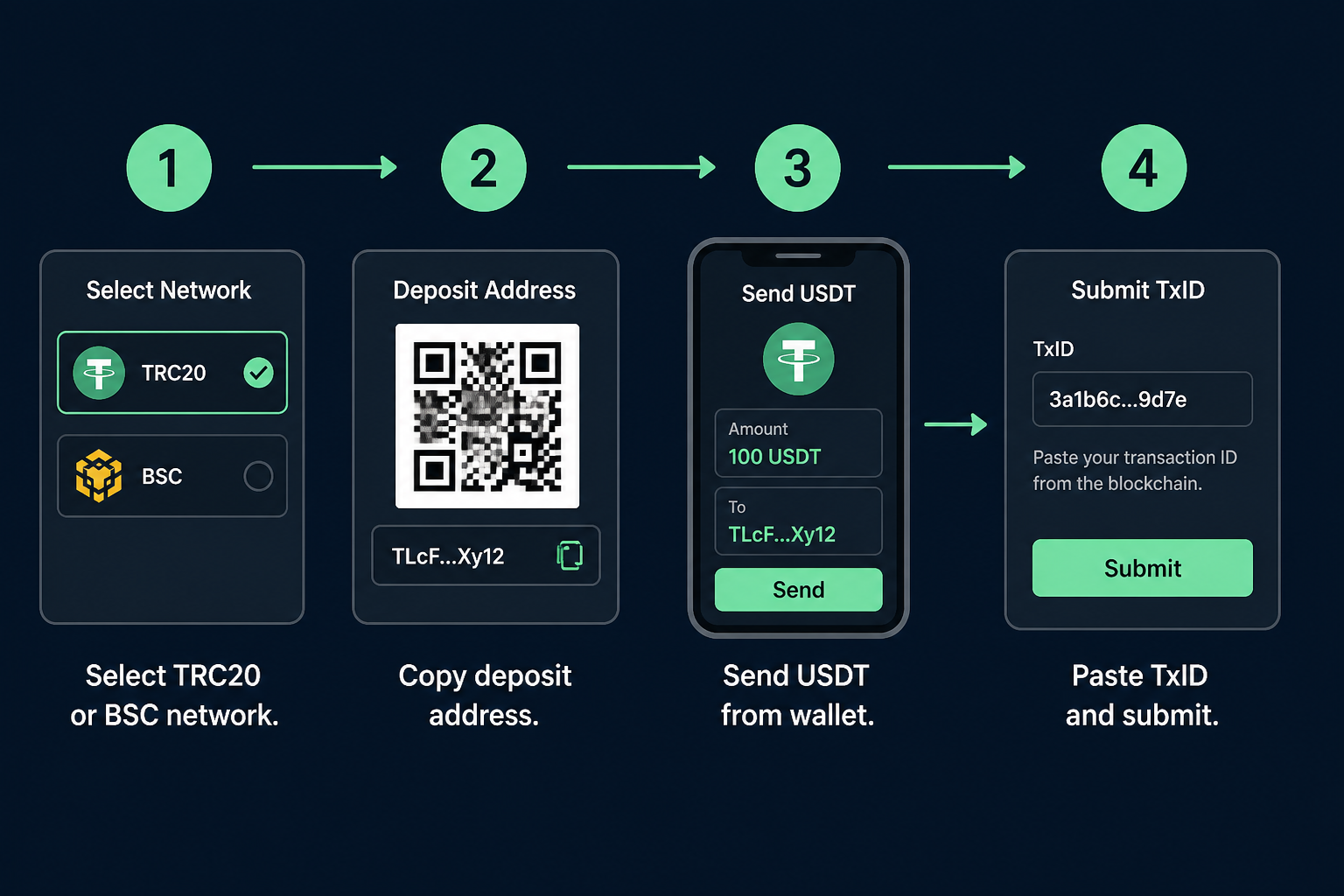
Enter USDT amount Type how many USDT ($) you will send (min–max).
-
Pick network & copy address TRC20 or BSC — send USDT only on the same network.
-
Send USDT from your wallet Send the exact USDT amount you entered, then paste TxID.
-
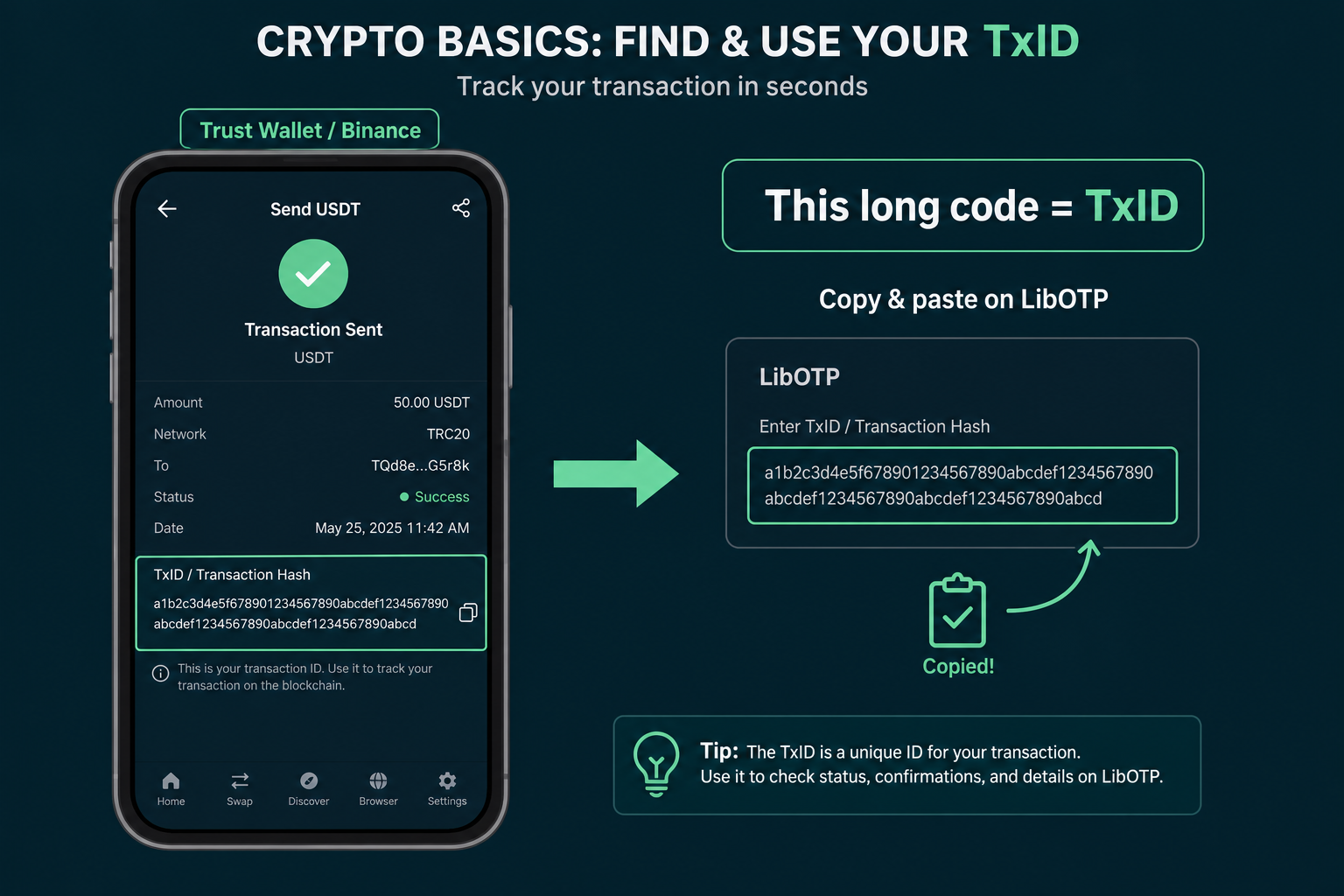
Paste TxID & submit Copy the hash from wallet history, then submit on the pay page.
What is a TxID?
A TxID is the unique long payment code — not your wallet address.
Example: a1b2c3…ef90 — BSC: 0x1234…abcd